Skip to content

A first maker budget: where the money should go first

The machine price is only part of what a first printer or laser costs. A budget that leaves room for consumables, safety equipment and the first spare parts is spent better than one that goes entirely on the most capable machine.

Every maker machine comes with a second shopping list, and the order in which it is bought decides how usable the first purchase is.

Set aside the running costs first

A filament printer needs filament and, soon, a spare nozzle. A resin printer needs resin, release films, washing liquid and gloves. A laser needs materials and replacement parts for its air assist or bed. These are not optional extras; they are what the machine runs on.

Then the safety equipment

Eye protection marked for a laser’s wavelength, extraction or filtration, gloves for resin and a fire extinguisher cost less than the machines they accompany. Their makers’ markings and instructions say what each covers.

Then the machine, chosen on its ecosystem

Common nozzle and plate standards, open slicer or laser software, spare parts sold by the maker and published profiles for the materials you plan to use are worth more over a few years than a higher headline speed or wattage.

Leave upgrades for later

Enclosures, automatic material systems, hardened nozzles and faster hotends solve specific problems. They are best bought once the problem appears, because by then it is clear which one matters.

A simple split to start from

Think of the budget in three parts: the machine, a first stock of consumables and spares, and the safety and ventilation equipment the maker requires. If the third part does not fit, the machine is the part to scale down.

Questions makers ask before buying

Is it worth buying the cheapest machine to start?

It can be, if its parts follow common standards and spares are sold. A cheap machine with proprietary nozzles or films that are hard to find becomes expensive when the first part wears.

What should be bought with a laser engraver?

Eye protection marked for its wavelength, a way to extract or filter smoke, a fire-resistant surface and materials suited to the laser. The laser maker’s manual lists what it requires.

Last reviewed 15 September 2026
Machines this advice refers to

Nothing above asks for a new purchase. Where a machine comes up, its MakerVerdict review is linked here — each card opens the write-up, not a shop.

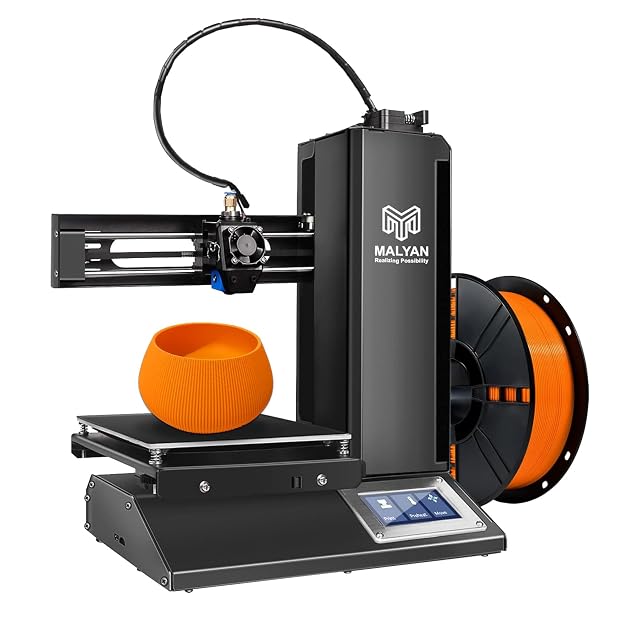
  • Malyan M320 Mini, 150 mm cube build volume

    150 × 150 × 150 mm build volume · heated magnetic plate · all-metal hotend · touchscreen · microSD and USB printing · no speed published

    The cheapest printer in this family, sold for children and beginners, whose listing publishes a 150 mm cube build volume, an all-metal hotend and a removable magnetic plate, and no print speed at all.

    Best for: A first printer for a child or a classroom corner, printing small models from a card without a computer nearby.

    ≈ £140 / 150 €

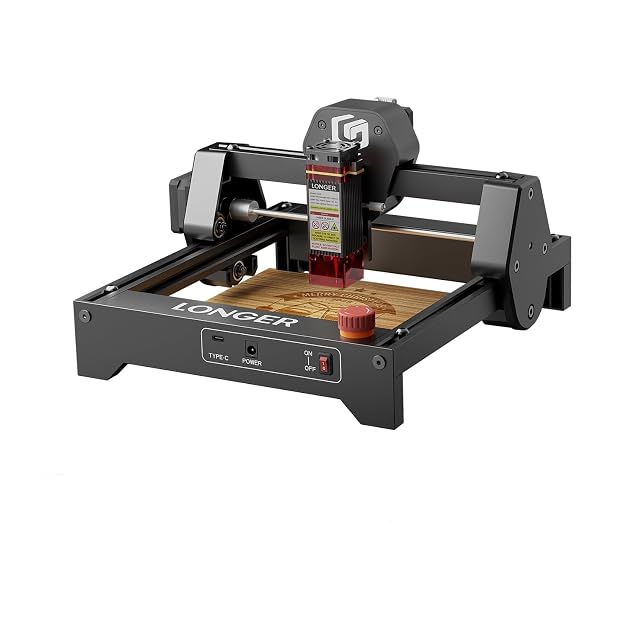
  • Longer Ray5 Mini 3.5 W, 140 × 130 mm area

    3.5 W, type of power not stated · 140 × 130 mm working area · 0.04 × 0.04 mm spot · pre-assembled, about 1.8 kg · LaserGRBL and LightBurn · emergency stop

    A pre-assembled 1.8 kg diode engraver with a 140 × 130 mm working area, sold with a laser shield and safety glasses, whose listing gives a 3.5 W figure without saying whether it is optical or electrical.

    Best for: A first engraver for tags, small wooden signs and leather patches, used with the included glasses.

    ≈ 104 €

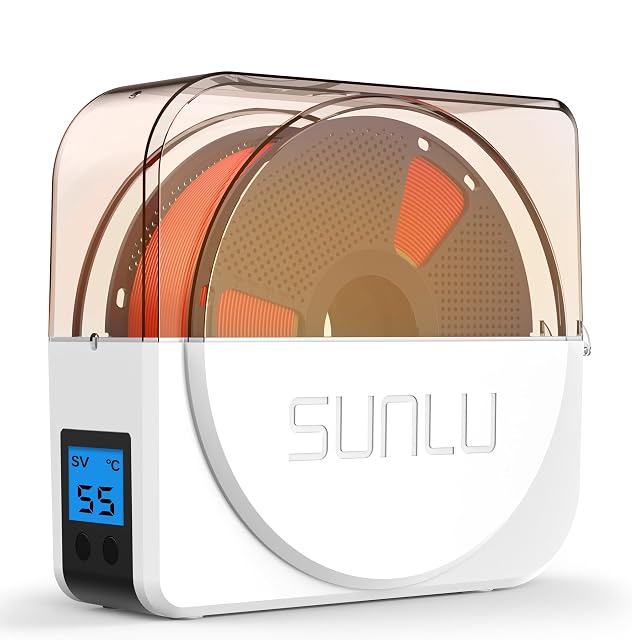
  • SUNLU S1 Plus single-spool dryer, 35 to 55 °C

    35–55 °C · timer 1–99 h · built-in fan · prints while drying · 2 inch LCD showing temperature and time · under 10 dB stated

    A single-box filament dryer with an adjustable 35 to 55 °C range, a 1 to 99 hour timer and a built-in fan, sized for common 1 kg spools and able to feed the printer while drying.

    Best for: A PLA, PETG or TPU user who wants one spool kept dry while it prints.

    ≈ $32 / £25 / 40 €

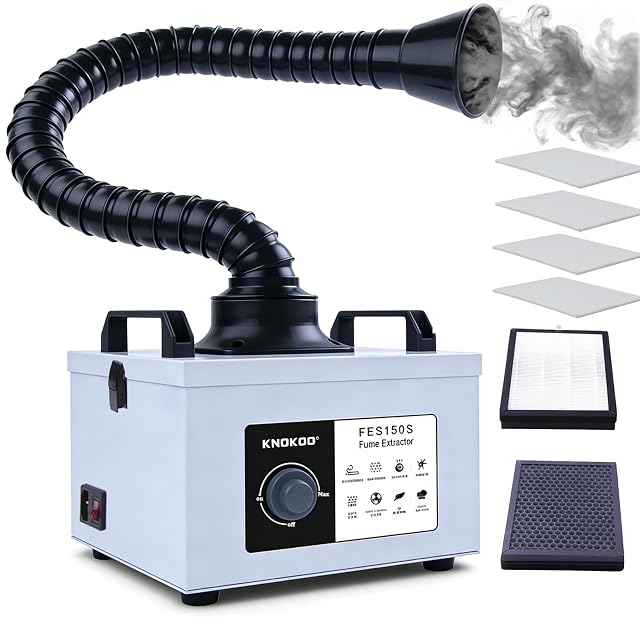
  • KNOKOO FES150S, 200 m³/h, three-stage filter

    200 m³/h · 100 W brushless motor · pre-filter, H13 HEPA and activated carbon, replaceable separately · about 50 dB · clog alarm · 220 V

    A bench fume extractor sold for soldering and 5 W laser engravers, moving 200 m³/h through a pre-filter, H13 HEPA and activated carbon, each replaceable separately, with an alarm that warns when a filter clogs.

    Best for: A bench combining soldering with a small diode engraver, where the filter alarm replaces guessing at filter life.

    ≈ $219 / 199 €

A price quoted in the text of a MakerVerdict page dates from the day that page was written; the live figure beside each product is fetched while you read and replaces it.